 Mashrukh Araf
For an early-stage startup, subscribing to an off-the-shelf CRM like HubSpot, Zoho, or Salesforce is often an easy choice. Setup takes hours, and the initial monthly cost appears modest.
However, as headcounts expand and operational workflows specialize, the financial equation changes. What began as an affordable monthly expense frequently turns into a compounding operational tax. Businesses often find themselves paying escalating per-user fees for dozens of features they never touch, while still relying on disjointed spreadsheets to manage the workflows their SaaS tool cannot handle.
When evaluating custom CRM vs. off-the-shelf SaaS, the debate is not merely technical—it is a fundamental capital allocation decision. Here is an objective financial analysis to determine which model makes sense for your business.
1. The Hidden Costs of Off-the-Shelf SaaS CRMs
Subscription software operates on predictable recurring revenue for the vendor, but for a scaling SME, costs are rarely static. Several compounding factors drive up the Total Cost of Ownership (TCO):
A. The ‘Per-Seat’ Penalty
SaaS platforms monetize growth. Adding five sales representatives, two operations managers, and three customer success coordinators means paying per user, every month. As a result, businesses often restrict system access to save money, creating data silos between sales and operational teams.
B. Tier Lock-In and Feature Gating
Need custom API webhooks, advanced role-based permissions (RBAC), or automated lead distribution? SaaS platforms routinely lock vital operational features behind enterprise tiers that cost three to five times more per seat than base tiers.
C. Third-Party Integration and ‘App Fatigue’
Off-the-shelf tools rarely cover end-to-end operations natively. Companies end up purchasing third-party middleware, form builders, and external reporting add-ons to bridge gaps, resulting in fragmented data and multiple software invoices.
2. The Economics of Custom CRM Development
A custom CRM represents an upfront capital expenditure (CapEx) rather than an endless operating expense (OpEx). It is built to mirror your exact operational pipelines—from initial lead capture to contract signing and client onboarding.
A. Zero Recurring Per-Seat Licensing
A custom-built system belongs to your company. Whether you have 5 users or 150 users, your core software licensing cost does not increase. You host the application on your own secure infrastructure, eliminating per-user financial penalties.
B. Purpose-Built Workflows vs. Feature Bloat
Off-the-shelf CRMs attempt to serve thousands of distinct industries simultaneously, resulting in cluttered interfaces and steep learning curves. A custom platform contains only the modules your team needs, accelerating daily workflow efficiency and employee onboarding.
C. Complete Data Ownership and Security
With a proprietary system, your client records, financial transactions, and lead sources reside in your private database. You maintain complete control over data backups, export formats, and access policies without vendor lock-in.
3. Financial Comparison: 3-Year Total Cost of Ownership (TCO)
| Cost Factor | Off-the-Shelf SaaS | Custom Modular CRM |
|---|---|---|
| Year 1 Initial Cost | ~$18,000 – $24,000 | ~$10,000 – $18,000 |
| Year 2 Ongoing Cost | ~$20,000 – $26,000 | ~$1,200 – $2,500 |
| Year 3 Ongoing Cost | ~$24,000 – $32,000 | ~$1,500 – $3,000 |
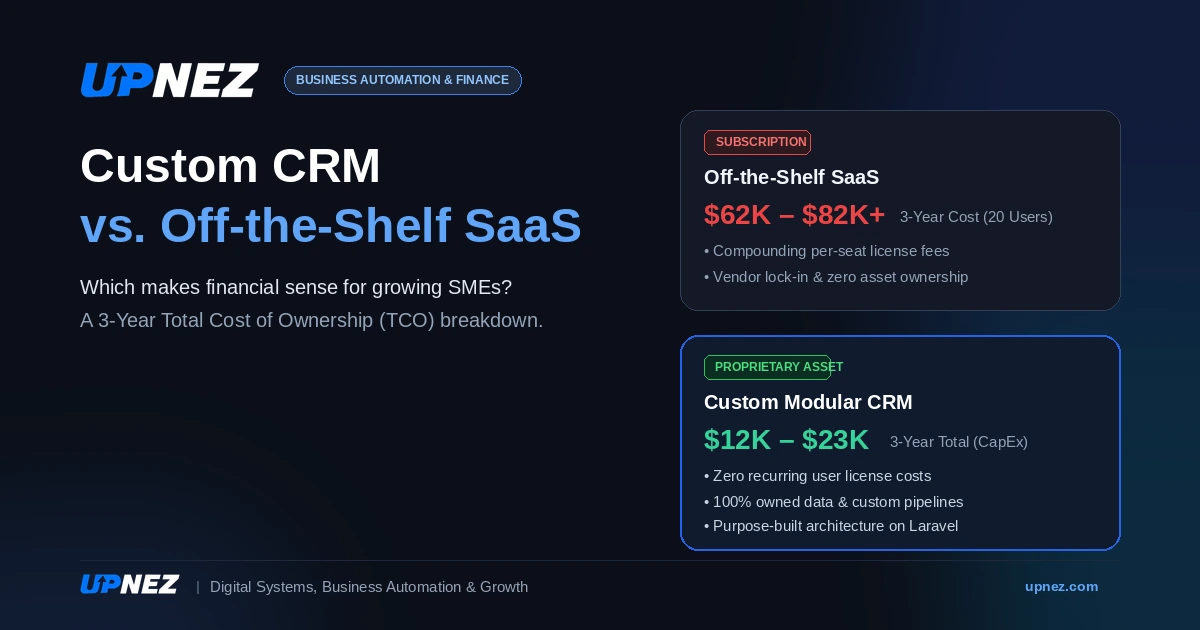
| 3-Year Estimated Total | $62,000 – $82,000+ | $12,700 – $23,500 |
| Asset Ownership | Zero (Vendor owned) | 100% Proprietary Asset |
4. The Decision Framework: When to Choose Which
When to Choose Off-the-Shelf SaaS:
- Your team has fewer than 10 members and has no immediate hiring plans.
- Your sales process follows a standard, linear pipeline with minimal handoffs.
- You do not have capital available for an initial development phase.
- You do not require integrations with proprietary internal databases or local gateways.
When to Build a Custom CRM:
- Your team is scaling past 15–20 users, and subscription fees are actively eroding margins.
- You operate in specialized verticals (e.g., real estate, agency operations, bespoke manufacturing) requiring custom inventory, commission, or handover modules.
- Your staff spends significant hours manually transferring data between disconnected tools.
- You view internal software architecture as an enterprise asset that increases enterprise valuation.
5. How to Build Custom Without Budget Overruns
Building a custom system does not require replicating an entire enterprise platform on day one. A structured approach mitigates risk:
- Start with a Minimum Viable Pipeline (MVP): Build the core modules first—lead capture, pipeline tracking, customer history, and basic reporting.
- Prioritize Modular Architecture: Use modern, maintainable frameworks (such as clean Laravel foundations with RESTful APIs) so future modules can be integrated seamlessly.
- Automate Bottlenecks Progressively: Add advanced capabilities—such as automated follow-up sequences, WhatsApp/SMS webhooks, and unit inventory tracking—only after your core sales stages are stable.
Strategic Next Steps
Software should support operational speed, not penalize business growth. If your organization is spending thousands annually on SaaS tools that require workarounds to fit your actual process, a custom system may be your highest-ROI operational investment.
Contact the team at UPNEZ to schedule an operational assessment and evaluate whether a custom CRM makes financial sense for your business model.
