 Mashrukh Araf
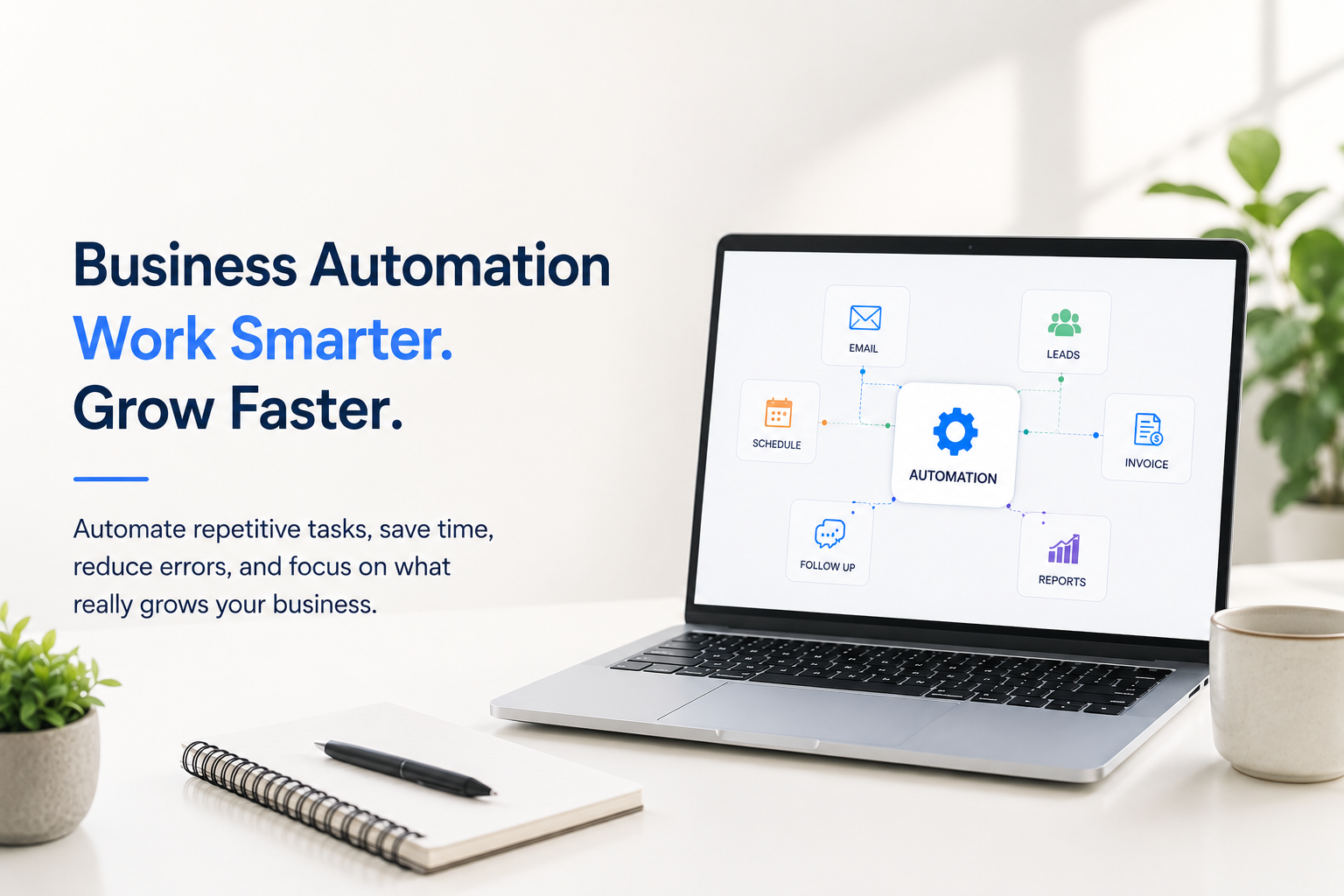
Business automation is changing the way modern companies operate. From managing leads and sending follow-up emails to processing invoices and organizing customer information, many repetitive business tasks can now happen automatically.
If your team spends hours every week doing the same manual tasks, switching between different tools, copying information, sending repetitive messages, or following up with customers one by one, your business may have an opportunity to automate.
The goal of business automation isn’t to make your business less human. It is to remove unnecessary repetitive work so your team can spend more time on customers, strategy, sales, creativity, and growth.
In this guide, we’ll explain what business automation is, what processes businesses can automate, the benefits of automation, how AI fits into automation, and how to get started without overcomplicating your business.
What Is Business Automation?
Business automation is the use of software, technology, integrations, and digital workflows to complete repetitive business processes automatically or with minimal human intervention.
A simple example looks like this:
Customer submits a form → Lead information is saved → Sales team is notified → Confirmation email is sent → Follow-up task is created.
Without automation, an employee may need to perform each of these steps manually.
With an automated workflow, the process can happen in the background based on predefined rules.
Business automation can be used by startups, small businesses, growing companies, agencies, eCommerce businesses, professional service providers, and larger organizations.
The most effective automation doesn’t simply add more technology. It improves a process that already exists.
Why Is Business Automation Important?
As a business grows, manual work grows with it.
A company might start with a few customers and a simple spreadsheet. But as the business gains more customers, employees, leads, orders, invoices, and marketing activities, those manual processes can become difficult to manage.
This is where business process automation can make a difference.
Instead of relying on employees to remember every step, businesses can create structured workflows that perform repetitive tasks consistently.
Business automation can help companies:
- Save time
- Reduce repetitive work
- Improve operational efficiency
- Reduce manual errors
- Respond to customers faster
- Organize business data
- Improve lead management
- Streamline internal workflows
- Improve customer experience
- Support business growth
Automation isn’t about automating everything.
It’s about identifying the right processes to automate.
10 Business Processes You Can Automate
Almost every business has repetitive tasks that could potentially be improved through automation.
Here are some of the most common business automation examples.
1. Lead Management Automation
Managing leads manually can become difficult when your business receives inquiries from websites, social media, email, advertisements, and other channels.
A lead automation workflow can automatically:
- Capture customer information
- Store leads in a CRM
- Assign leads to team members
- Send confirmation messages
- Notify the sales team
- Create follow-up tasks
- Categorize leads
- Track lead status
For example, when someone submits a quote request through your website, the system could automatically add the person to your CRM and notify the appropriate salesperson.
This reduces the risk of losing potential customers because someone forgot to follow up.
2. Customer Follow-Up Automation
Following up with customers and prospects is essential for many businesses.
But manually remembering every follow-up can become difficult.
A business automation system can trigger follow-up messages based on specific actions or time periods.
For example:
Day 1: Inquiry confirmation
Day 3: Follow-up message
Day 7: Additional information
Day 14: Final follow-up
Your team can still personally communicate with customers when the situation requires human attention.
Automation simply makes sure important follow-ups don’t get forgotten.
3. Email Marketing Automation
Email marketing becomes much more effective when businesses don’t have to manually send every message.
Businesses can create automated email workflows for:
- New subscribers
- Welcome messages
- Lead nurturing
- Customer onboarding
- Product updates
- Promotional campaigns
- Feedback requests
- Re-engagement campaigns
For example, someone who downloads a business guide from your website could automatically receive a useful follow-up email.
The process continues without someone having to remember to send each message.
4. Invoice and Payment Automation
Financial administration can involve many repetitive tasks.
Businesses may need to create invoices, send them to customers, monitor payment status, and send reminders.
Depending on the systems being used, parts of this process can be automated.
For example:
Order completed → Invoice generated → Invoice sent → Payment status tracked → Reminder triggered if payment is overdue.
This can reduce administrative workload and create a more organized payment process.
5. Appointment Scheduling Automation
Scheduling appointments manually can create unnecessary back-and-forth communication.
Instead of exchanging multiple messages to find a suitable time, businesses can use automated scheduling systems.
A customer can:
- View available times
- Select a suitable appointment
- Receive confirmation
- Receive a reminder
- Reschedule if necessary
This can be particularly useful for consultants, agencies, clinics, professional services, education providers, and other appointment-based businesses.
6. Customer Support Automation
Customer support is another area where automation can help.
Businesses often receive repetitive questions such as:
- What are your business hours?
- How much does this service cost?
- How can I book an appointment?
- Where can I find my order?
- What payment methods do you accept?
- How can I contact your team?
Automation can help provide answers to common questions and route more complex inquiries to the right person.
The goal isn’t to eliminate human support.
It’s to allow employees to spend less time answering repetitive questions and more time solving problems that actually require their expertise.
7. Data Entry Automation
Manual data entry is one of the clearest opportunities for automation.
If employees regularly copy information from one platform into another, there may be an opportunity to connect those systems.
For example:
Website form → CRM → Spreadsheet → Notification system
Instead of entering the same information several times, an integration can move the information automatically.
This can save time and reduce the risk of inconsistent or duplicated data.
8. Reporting and Business Analytics Automation
Business owners need information to make decisions.
But collecting and organizing that information manually can take hours.
Automated reporting can help businesses collect data from different systems and organize it into useful reports.
Reports may cover areas such as:
- Sales
- Leads
- Marketing performance
- Website activity
- Customer activity
- Revenue
- Operational performance
Instead of spending hours preparing the same report every week, businesses can create repeatable reporting workflows.
9. Employee Onboarding Automation
Employee onboarding often involves repetitive administrative work.
A structured workflow can help manage:
- Welcome emails
- Document collection
- Onboarding checklists
- Training schedules
- Internal notifications
- Account setup requests
- Policy acknowledgments
This creates a more consistent onboarding experience and helps HR or management teams avoid missing important steps.
10. Internal Approval Automation
Many businesses still manage approvals through long email chains or messaging applications.
Automation can create a more structured approval process.
For example:
Employee submits request → Manager receives notification → Manager approves → Finance receives request → Process completed.
This type of workflow can be useful for:
- Purchase requests
- Expenses
- Leave applications
- Marketing materials
- Documents
- Project approvals
The result is a process that is easier to track and manage.
What Are the Benefits of Business Automation?
The right automation strategy can provide several benefits.
Save Time
Employees don’t have to spend valuable working hours performing repetitive tasks that technology can handle.
Reduce Manual Errors
Automated workflows can follow predefined rules consistently, reducing mistakes caused by repetitive manual work.
Improve Customer Experience
Faster responses, better follow-ups, automated confirmations, and organized customer information can create a smoother customer experience.
Increase Productivity
When employees spend less time on administrative work, they can focus on higher-value responsibilities.
Improve Business Operations
Automation can create clearer and more structured workflows across departments.
Support Business Growth
A scalable workflow can help a business handle increasing activity without increasing manual work at the same rate.
Business Automation vs. Manual Processes
Consider a simple lead-generation process.
Manual Process
A potential customer submits a website form.
An employee:
- Checks the form
- Copies the information
- Adds it to a spreadsheet
- Sends an email
- Notifies the salesperson
- Creates a reminder
- Follows up later
Every new lead requires the same work.
Automated Process
A potential customer submits a form.
The system:
- Captures the information
- Adds the lead to the CRM
- Sends a confirmation
- Notifies the salesperson
- Creates a follow-up task
The employee can focus on actually talking to the customer.
That’s the real value of automation.
How AI Is Changing Business Automation
Traditional automation generally follows predefined rules.
If this happens → perform that action.
AI can make some workflows more flexible by helping systems work with information such as text, documents, conversations, and customer inquiries.
For example, AI can assist with:
- Customer inquiry classification
- Document summarization
- Information extraction
- Drafting customer responses
- Content assistance
- Data analysis
- Customer support
- Internal knowledge search
This creates opportunities for AI-powered business automation.
However, businesses shouldn’t add AI simply because AI is popular.
The first question should always be:
What business problem are we trying to solve?
If a simple workflow solves the problem, a simple workflow may be better.
Does Business Automation Replace Employees?
No.
Effective business automation should help employees work better.
There are many activities where human involvement remains extremely important, including:
- Building relationships
- Strategic decision-making
- Negotiation
- Creative thinking
- Leadership
- Complex problem-solving
- Sensitive customer conversations
Automation is most useful when it handles repetitive processes while people handle work that requires judgment and human interaction.
Think of automation as a support system for your team, not simply a replacement for your team.
How to Know If Your Business Needs Automation
Your business may be ready for automation if you regularly experience situations like these:
Your team performs the same task every day
Repetitive tasks are often strong automation candidates.
Employees copy information between different systems
There may be an opportunity to integrate your tools.
Leads are sometimes forgotten
Lead capture and follow-up automation could help.
Customers wait too long for simple responses
Automated communication may improve response times.
Reports take hours to prepare
Reporting workflows could reduce manual effort.
Your team relies heavily on spreadsheets
A more connected digital workflow may be worth considering.
Your business is growing faster than your processes
Automation can help create more scalable operations.
How to Start Business Automation
You don’t need to automate your entire business at once.
In fact, starting small is often the smarter approach.
Step 1: List Your Repetitive Tasks
Write down the tasks your employees perform repeatedly.
Look for processes that are:
- Repetitive
- Predictable
- Time-consuming
- Rule-based
- Prone to errors
Step 2: Find the Biggest Bottleneck
Don’t automatically choose the easiest task.
Look for the process that creates the biggest operational problem.
For example, if your sales team loses potential customers because leads aren’t followed up quickly, lead management may be a better starting point than automating a minor administrative task.
Step 3: Map the Workflow
Document what currently happens.
For example:
Customer inquiry → Data entry → Notification → Follow-up → Sales conversation → Proposal → Customer decision
Then identify which steps require human involvement and which steps could happen automatically.
Step 4: Choose the Right Technology
Depending on the workflow, automation may involve:
- CRM systems
- Website integrations
- Email platforms
- Forms
- APIs
- Workflow tools
- Databases
- AI tools
- Custom software
The technology should fit the business process, not the other way around.
Step 5: Test and Improve
Start with one workflow.
Measure the result.
Then improve it before expanding automation to other areas.
Common Business Automation Mistakes
Automation can create problems if it’s implemented without understanding the underlying process.
Automating a Bad Process
If the existing process is inefficient, automating it may simply make the inefficient process happen faster.
Fix the process first.
Automating Too Much Too Quickly
Trying to automate everything at once can create unnecessary complexity.
Start with high-value processes.
Choosing Technology Before Understanding the Problem
Don’t begin with:
“Which automation tool should we use?”
Begin with:
“Which business problem are we trying to solve?”
Forgetting the Human Experience
Automation should make work easier for employees and customers.
If a workflow creates frustration, it needs to be redesigned.
Business Automation for Small Businesses
You don’t need to be a large company to benefit from automation.
In fact, small businesses can benefit significantly because they often operate with smaller teams.
A few automated workflows can save employees considerable time.
For example, a small service business could automate:
Website inquiry → Lead capture → Customer confirmation → Sales notification → Follow-up reminder → Appointment booking
A small team can then spend more time serving customers instead of managing administrative tasks.
This is why automation for small businesses is becoming an increasingly practical way to improve efficiency and support growth.
Business Automation in Bangladesh
Businesses in Bangladesh are becoming increasingly dependent on digital channels to attract customers, communicate with prospects, manage operations, and deliver services.
For many businesses, the opportunity isn’t necessarily to build a complicated enterprise system.
It may simply be to connect the systems they already use.
For example:
Website + CRM + Email + WhatsApp + Payment + Reporting
When these systems work together properly, businesses can reduce unnecessary manual work and create a smoother customer journey.
For Bangladeshi businesses that are growing digitally, business automation can become an important part of building efficient and scalable operations.
Why Your Business Should Start Thinking About Automation Now
The longer a business relies on inefficient manual processes, the more those processes can become part of everyday operations.
Employees develop workarounds.
Spreadsheets multiply.
Information becomes scattered.
Follow-ups get missed.
Reports take longer.
Customers wait.
Eventually, fixing the process becomes more difficult than it would have been in the beginning.
Business automation gives companies an opportunity to build better systems before operational complexity becomes a major problem.
The objective isn’t to automate everything.
The objective is to build a business that can operate more efficiently, consistently, and intelligently.
Ready to Automate Your Business?
Still spending hours on tasks that could happen automatically?
Your business may be ready for automation.
At UPNEZ, we help businesses think beyond individual tools and focus on the bigger picture: how technology can improve the way a business actually operates.
Whether you need better digital workflows, website integrations, customer management systems, marketing automation, or customized technology solutions, the first step is understanding your current process.
Identify the repetitive work. Improve the process. Automate what makes sense.
Let UPNEZ Help You Build a Smarter Business
Have a business process that takes too much time?
Talk to UPNEZ and explore how automation can make your business more efficient.
UPNEZ | Technology That Moves Your Business Forward.
Frequently Asked Questions About Business Automation
What is business automation?
Business automation is the use of technology to perform repetitive business processes automatically or with minimal manual intervention.
What are examples of business automation?
Common examples include lead management, customer follow-ups, email marketing, appointment scheduling, invoicing, reporting, data entry, customer support, employee onboarding, and internal approvals.
How can business automation help a small business?
Business automation can help small businesses save time, reduce repetitive work, improve consistency, respond to customers faster, and handle increasing workloads more efficiently.
Is AI the same as business automation?
No. AI and automation are related but different. Automation follows workflows and rules, while AI can help systems analyze information, generate responses, classify content, and support more complex tasks.
How much does business automation cost?
The cost depends on the complexity of the workflow, the software involved, integrations, and whether the solution uses existing tools or requires custom development.
What should a business automate first?
Start with a repetitive process that consumes significant time, creates frequent errors, or causes delays for customers or employees. Lead management, follow-ups, data entry, and reporting are common starting points.
Can business automation replace employees?
Business automation is generally most valuable when it reduces repetitive work and allows employees to focus on tasks requiring human judgment, creativity, communication, and strategy.
